Creating a Visually Appealing Resume: Formatting for Readability and Impact
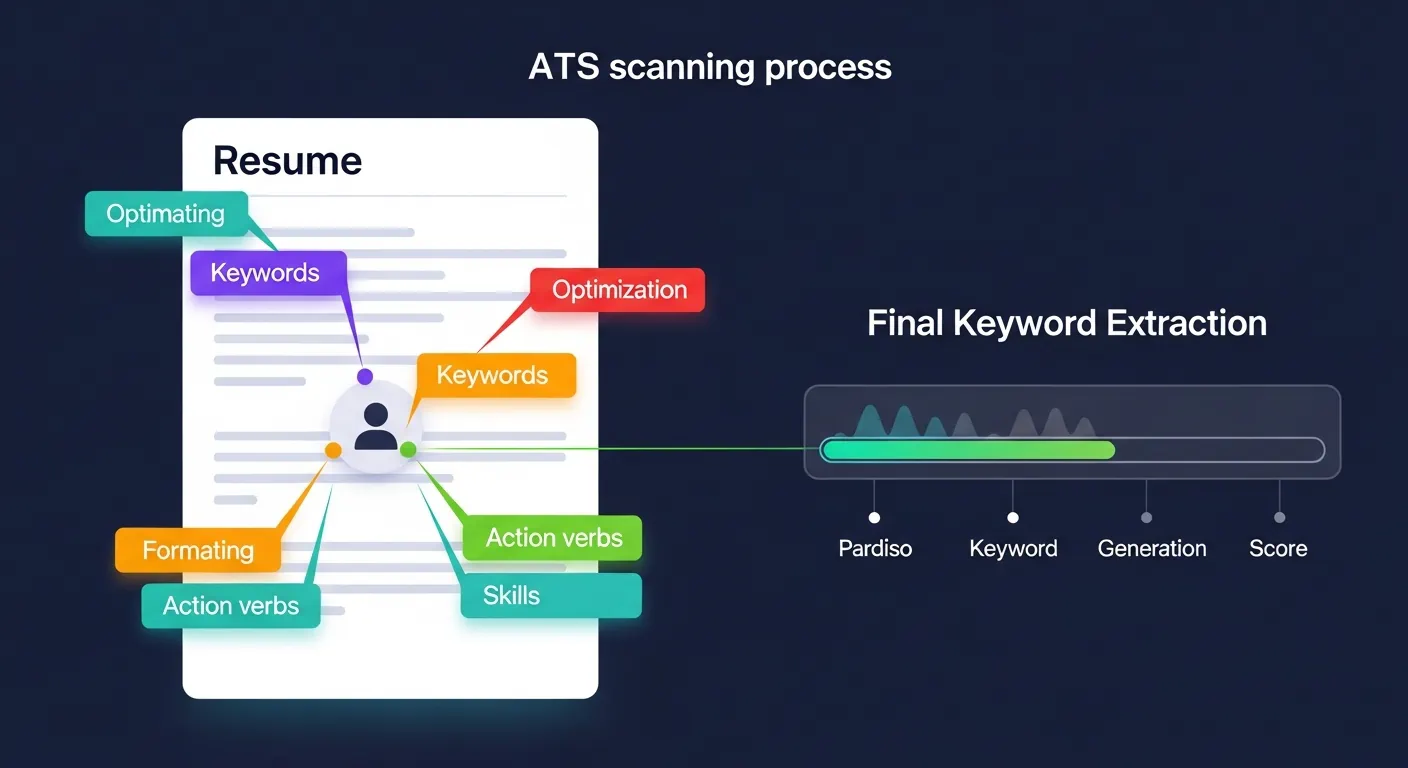
A resume is often your first impression on a potential employer, and in today's competitive job market, that impression needs to be immediate and impactful. Beyond just the content, how your resume looks plays a crucial role in whether it gets a second glance or lands in the discard pile. Creating a visually appealing resume with thoughtful formatting for readability and impact isn't merely about aesthetics; it's a strategic move to communicate professionalism, attention to detail, and a clear presentation of your qualifications.
This guide will walk you through the essential elements of resume formatting, ensuring your document is not only attractive but also highly readable for both human eyes and Applicant Tracking Systems (ATS). Mastering these techniques will significantly enhance your chances of securing that coveted interview.
Key Points for a Standout Resume:
- Clarity is Paramount: Ensure every piece of information is easy to find and understand.
- Strategic White Space: Use margins and line spacing to prevent visual clutter and guide the eye.
- Consistent Design: Maintain uniform fonts, sizes, and styling throughout the document.
- ATS Compatibility: Prioritize clean, standard formatting for optimal machine readability.
- Impactful Visual Hierarchy: Emphasize key information like job titles and achievements effectively.
Why a Visually Appealing Resume Matters in Today's Job Market
In a world where recruiters spend mere seconds scanning a resume, the visual presentation is as critical as the content itself. A cluttered, poorly formatted resume can overwhelm the reader, leading them to miss key qualifications. Conversely, a visually appealing resume immediately signals professionalism and organization, making it easier for hiring managers to quickly grasp your value proposition.
A 2024 study by JobScan highlighted that over 75% of large companies utilize Applicant Tracking Systems, making clean, simple formatting crucial for initial screening. But once past the ATS, your resume needs to captivate human attention. According to a 2023 report from CareerBuilder, recruiters spend an average of less than 30 seconds reviewing a resume, emphasizing the need for immediate visual clarity. Therefore, prioritizing both readability and impact is non-negotiable for success.
Mastering Resume Formatting for Optimal Readability
The core purpose of resume formatting is to enhance readability, allowing recruiters to quickly extract the most relevant information. Thoughtful organization and consistent design choices contribute significantly to this goal.
Typography: Choosing the Right Fonts for a Professional Resume
Your choice of font has a profound effect on your resume's overall impression and legibility. For a professional resume layout, stick to classic, clean fonts. Sans-serif fonts like Calibri, Arial, Lato, or Montserrat are widely preferred for their modern, clean look and excellent digital readability. Serif fonts such as Garamond or Cambria can also be used, offering a more traditional feel. The key is to select one primary font and possibly one complementary secondary font for headings to create a subtle visual contrast without distraction.
Font sizes should be carefully managed: typically, your name can be 16-20pt, section headings 12-14pt, and body text 10-12pt. Consistency across all headings and body text elements is vital to maintain a cohesive and polished appearance. Modern digital resumes increasingly favor clean, open sans-serif fonts like Raleway or Open Sans, which maintain clarity even on smaller screens.
Strategic Use of White Space: Enhancing Visual Impact
White space, or negative space, refers to the empty areas surrounding text and graphics on your resume. Far from being "empty," it's a powerful design tool that significantly improves readability and reduces visual clutter. Adequate margins (typically 1 inch on all sides), sufficient line spacing (often 1.15 to 1.5), and strategic paragraph breaks create a balanced look.
I've personally observed that resumes with generous white space often receive more positive initial feedback. This is because ample white space reduces cognitive load, making the document feel less daunting and easier to digest. It helps guide the reader's eye, drawing attention to the essential content and giving your key achievements room to breathe.
Organizing Content with Clear Headings and Sections
A well-structured resume uses clear headings to delineate sections, making navigation effortless. Standard sections include "Contact Information," "Summary/Objective," "Work Experience," "Education," and "Skills." Each section should have a distinct, consistent heading style (e.g., bolded, slightly larger font). Within sections, use bullet points for experience and achievements, as they are inherently easier to scan than dense paragraphs. For guidance on creating compelling achievement statements, explore resources on crafting impactful bullet points.
Designing Your Resume for Maximum Visual Impact and Professionalism
While readability is foundational, elements of design elevate a resume from merely functional to truly impactful. These choices demonstrate attention to detail and help reinforce your professional brand.
Layout and Structure: Balancing Aesthetics and Functionality
The overall layout dictates how your information flows and is perceived. Most professional resumes adhere to a single-column or a simple two-column layout. Single-column layouts are generally preferred for maximum ATS compatibility, as they present information linearly, making it easier for software to parse. Two-column layouts can be visually engaging but require careful execution to ensure ATS can still read them correctly.
For most job seekers, a clean, chronological format (listing experience in reverse chronological order) with clear headings is the most effective approach. The latest trend emphasizes minimalist design, removing any unnecessary graphics or embellishments to focus purely on the content's strength and clarity. A simple, well-organized structure is often far more effective than an overly elaborate one.
Color Palette and Design Elements: Subtle Enhancements
When considering design elements, less is often more. For a visually appealing resume, a minimalist approach to color is highly recommended. Using a single, subtle accent color (e.g., a dark blue, grey, or green) for headings or lines can add a touch of personality without compromising professionalism. Avoid bright, distracting colors or complex graphic elements, which can appear unprofessional and confuse ATS.
The goal is to create a clean, elegant document where the design elements support the content, not overshadow it. Emphasize professionalism and restraint; a resume should reflect your capabilities, not your graphic design skills unless you're applying for a design role.
The Power of Consistency: A Unified Resume Design
Consistency in design is paramount. This means using the same font styles and sizes for similar elements (e.g., all job titles are the same size and bold), uniform spacing between sections, and consistent bullet point styles. Inconsistent formatting indicates a lack of attention to detail, which can negatively impact a recruiter's perception. A unified design ensures that your resume feels cohesive, polished, and easy on the eyes, creating a strong sense of professionalism.
Ensuring Your Resume is ATS-Friendly and Visually Effective
Passing the Applicant Tracking System (ATS) is the first hurdle. Your resume must be structured in a way that machines can easily interpret, while also maintaining visual appeal for human reviewers.
ATS Best Practices for Modern Resume Formatting
To ensure your resume passes ATS scrutiny, keep it simple and keyword-rich. Incorporate keywords directly from the job description naturally within your experience and skills sections. Use standard section headings like "Work Experience," "Education," and "Skills," rather than creative or unconventional titles. Avoid complex graphics, tables, text boxes, or embedded images, as these can often confuse ATS software, leading to parts of your resume being unreadable or misinterpreted.
Always save your resume as a PDF unless explicitly asked for a Word document. PDFs preserve your formatting perfectly across different systems. For a deeper dive into making your resume machine-readable, consider resources focused on optimizing your resume for ATS.
Proofreading and Final Review: The Last Layer of Polish
Before sending your resume, rigorous proofreading is essential. Even the most visually appealing resume can be undermined by a single typo or grammatical error. Carefully check for spelling mistakes, grammatical errors, and punctuation issues. Beyond text, review the formatting itself:
- Are all dates aligned correctly?
- Is spacing consistent?
- Do bullet points start on the same line as their symbols?
- Check your resume on different devices, including mobile, as Forbes' career section, in an article published early 2025, emphasized the growing importance of mobile-friendly resume layouts due to increasing recruiter review on handheld devices.
It’s often helpful to have a trusted friend or mentor review your resume. A fresh pair of eyes can catch errors you might have overlooked and provide feedback on overall clarity and impact.
Frequently Asked Questions (FAQ)
What are the best fonts for a visually appealing resume?
For a professional and visually appealing resume, sans-serif fonts like Calibri, Lato, Arial, or Montserrat are excellent choices due to their modern, clean lines and readability on screens. Traditional serif fonts such as Garamond or Cambria also work well if you prefer a classic look. The most important aspect is consistency and choosing a font that is easy to read at smaller sizes.
How much white space should I include in my resume?
Generous white space is crucial for readability and impact. Aim for 1-inch margins on all sides of your document. Ensure there is adequate spacing between sections and bullet points, often 1.15 to 1.5 line spacing. This prevents your resume from appearing cluttered, helps guide the recruiter's eye, and makes the content easier to process quickly.
Is it okay to use color in my resume design?
Yes, using a minimalist amount of color can enhance a visually appealing resume. Stick to one or two professional accent colors, such as a dark blue, grey, or muted green, used sparingly for headings or subtle lines. Avoid bright, distracting colors or complex color schemes that could detract from your professionalism or cause issues with ATS.
Should I use a template for my resume formatting?
Using a professionally designed template can be a great starting point for creating a visually appealing resume as it provides a solid foundation for formatting. However, choose templates that are clean, simple, and ATS-friendly, avoiding overly graphic or complex designs. Always customize the template to reflect your unique qualifications and ensure it aligns with the industry you're targeting.
Your Path to a Visually Impactful Resume
A visually appealing resume is more than just a document; it's a powerful marketing tool that reflects your professionalism and attention to detail. By mastering formatting for readability and impact, you significantly increase your chances of making a strong first impression, passing ATS filters, and securing interviews. Remember, every design choice, from font selection to white space, plays a role in how your qualifications are perceived.
Take the time to review and refine your resume using the strategies outlined above. For further guidance on optimizing your qualifications, delve into our comprehensive education section guide for more tips. We encourage you to share your thoughts or questions in the comments below – your insights help fellow job seekers!
Extended Reading & Future Enhancements:
- Developing a Compelling Resume Summary or Objective: Learn how to craft a powerful introductory statement.
- Quantifying Achievements in Your Work Experience: Discover techniques to highlight your accomplishments with data.
- Tailoring Your Resume for Different Industries: Understand how to adapt your resume for specific job markets.
- Content Update Recommendation: This article's information on ATS and recruiter scan times should be reviewed annually (e.g., September 2026) to ensure currency with the latest job market data and technological advancements.